时空滤波
时空滤波是指使用 FFT 过滤出符合特定波数、频率条件的信号,即在下面这张频谱图中画一个区域,提取该区域内对应频率与波数的信号。 如果我们画的区域与波动的频散曲线一致,那么就能提取出该波动的信号。
WHEELER M, KILADIS G N, 1999. Convectively Coupled Equatorial Waves: Analysis of Clouds and Temperature in the Wavenumber–Frequency Domain[J/OL].
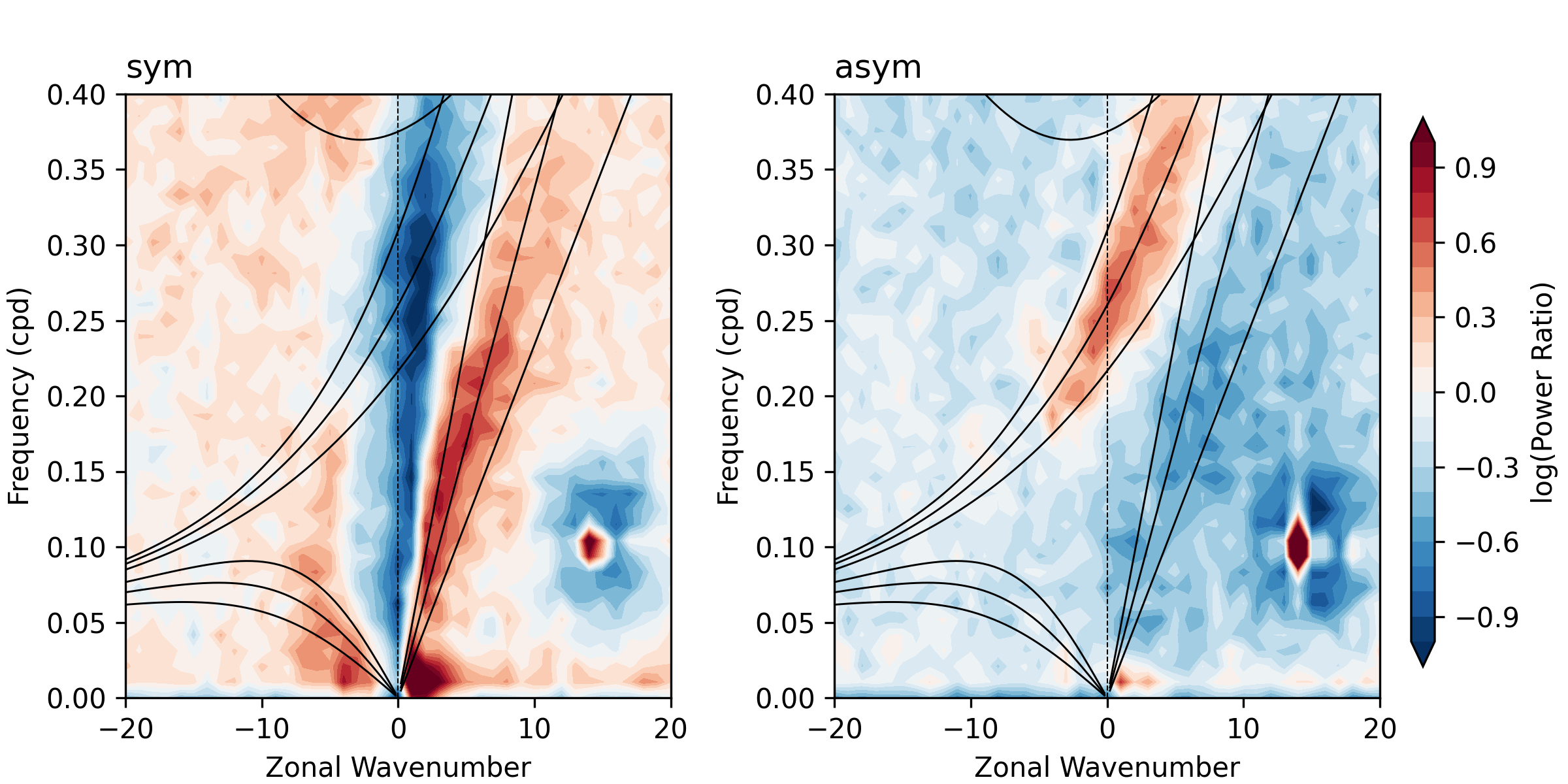
内置滤波区域
moisten_ew 提供了各种波动的默认滤波区域:
KelvinFilterArea:Kelvin 波区域MRGFilterArea:混合罗斯贝-重力波区域(默认为西传 MRG 波区域)ERFilterArea:赤道罗斯贝波区域IGFilterArea:惯性重力波区域(默认为西传 IG 波区域)MJOFilterArea:MJO 区域TDFilterArea:TD-type 波区域
以及两个几何形状的滤波区域:
RectangleFilterArea:矩形区域EllipseFilterArea:椭圆区域
下图左侧为内置滤波区域的默认范围,右侧为自定义的滤波区域,代码见示例 画滤波区域。
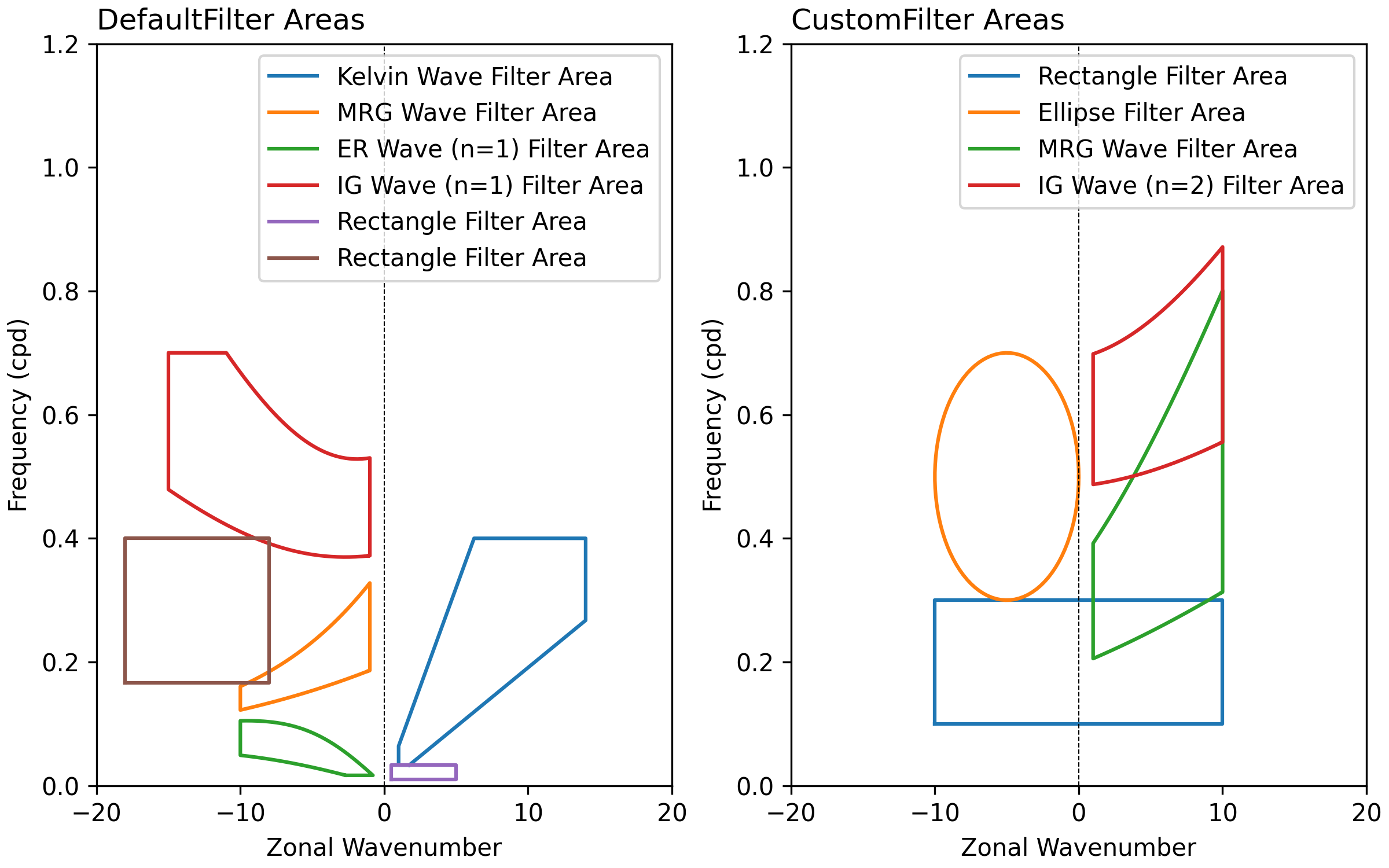
自定义区域
所有的滤波区域类均继承自基类 FilterArea,该类提供了区域的布尔运算方法:
union(other_area):并集intersection(other_area):交集difference(other_area):差集
例如同时过滤 MRG 波与 Kelvin 波的信号,可以使用并集操作:
mrg_and_kelvin = mew.MRGFilterArea().union(mew.KelvinFilterArea())
如果还需要更复杂的区域,可以使用 shapely 库自定义 Polygon | MultiPoligon 对象,传入 FilterArea 来实例化一个过滤区域。这里的多边形 x 坐标为波数(zonal_wavenumber),y 坐标为频率(cpd)。
from shapely.geometry import Polygon
import moisten_ew as mew

# 自定义多边形区域,例如一个三角形
custom_shape = Polygon([(-10, 0), (0, 0.2), (10, 0)])
# 定义区域属性
shape_attrs = mew.FilterAreaAttributes(name='Custom Area')

# 实例化 FilterArea
custom_area = mew.FilterArea(custom_shape, shape_attrs)

# 使用自定义区域进行时空滤波
filtered_data = mew.fft_time_lon_area_filter(
    data, custom_area,
)
滤波
使用 fft_time_lon_area_filter 函数进行时空滤波。
函数传入的数据必须为 xarray.DataArray 对象,且至少包含时间与经度两个维度,维度的名称需要通过 time_name 与 lon_name 参数指定。
函数还需要传入一个 FilterArea 对象,指定滤波区域。
可参考示例 对 MRG 与 Kelvin 波时空滤波 以及 对任意信号时空滤波。